
Activates on EA app. Region: Global.
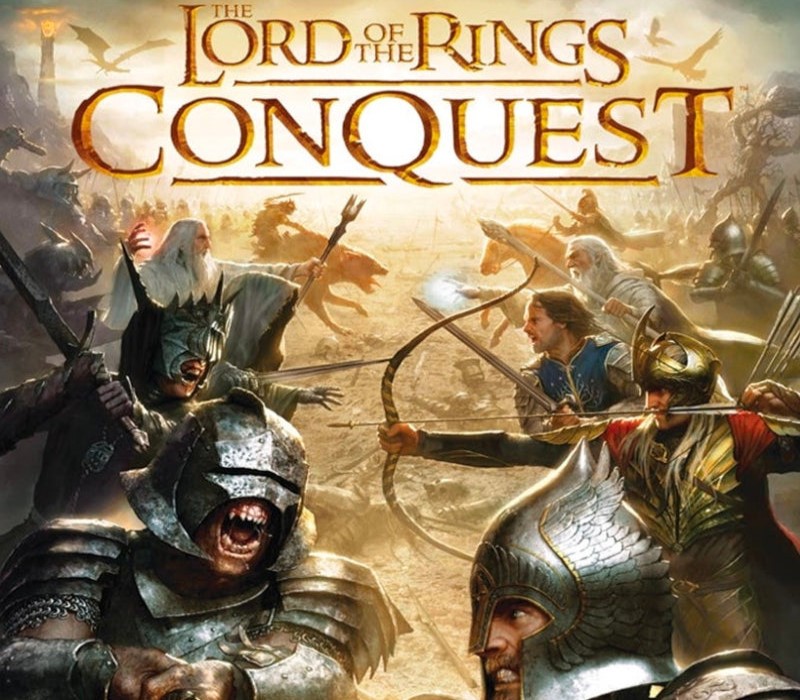
The Lord of the Rings: Conquest PC EADM Download
2009
€7.15
€7.15
In stock
Number of keys
Delivered to your account, usually within minutes after payment is confirmed.
Card payment on a hosted page with 3-D Secure.
- Replacement or refund if a key doesn't work.
Before you buy
- Platform
- Activates in the EA app. You need an EA account and the EA app.
- Region
- Global: no regional lockREGION FREE
- Languages
- English, Czech, German, Polish, Russian
- Age rating
- PEGI 16
- Delivery
- To your account, usually within minutes after payment is confirmed
The Lord of the Rings: Conquest puts players into the thick of the tremendous battle over The One Ring, playing out battles from both sides of the confrontation! Fight your way through the battles of Middle Earth in hopes to either destroy the ring or conquer all who live.
Redeem on EA app
You need an EA account and the EA app.
- Step 1: Open the EA app and sign in.
- Step 2: Open the menu (☰), then choose Redeem code.
- Step 3: Enter the key and choose Next.
Activation notes from the publisher
Click on the link provided with the code to download the game. Download all the setup files into the same folder. Install the game and activate it with your code. FAQ: Why should I download the game before activating it by using the key? You are activating the key and then downloading files from online gaming platforms like Steam. This game is not connected to any other gaming platform, so in order to activate it, you have to download game files first and then use the key in game itself. When I am trying to download the game I got an error that one of the files is corrupted. Re-download the files on a stable internet connection and try to install the game again. During installation, I see an error that some of the game files are missing. Make sure that you haven't changed the name of any of the downloaded files, and files are in the same folder. During installation, I am asked to insert a disk. This means that you are missing some of the installation files. Make sure that all downloaded files are in the same folder. During installation I got an error "Setup ended prematurely". Install the game with administrator rights (right-click and run as administrator). I am trying to download the files, but I got an error "404 Not Found". Try using a different web browser to download the files. I downloaded all files in the same folder, installed the game, but I cannot run it. Launch the game with administrator rights (right-click and run as administrator). I cannot select language during the installation. You can change the language in the game after it is installed. Information that the key is invalid is displayed when I am trying to activate the key. Make sure that you are activating the key in the game itself. I deleted some files after the game was installed and now I cannot download it once again. Uninstall the game from the Programs located in Control Panel and download the files.
- Platform
- EA app
- Region
- Global (listed as “REGION FREE”)
- Type
- Base game
- Languages
- English, Czech, German, Polish, Russian
- Release date
- 13 January 2009
- Genres
- Action
- Age rating
- PEGI 16
- Keyrook catalogue no.
- KR-5FA1BC0F4F
More for EA app
Action, close to this price.